
Introduction
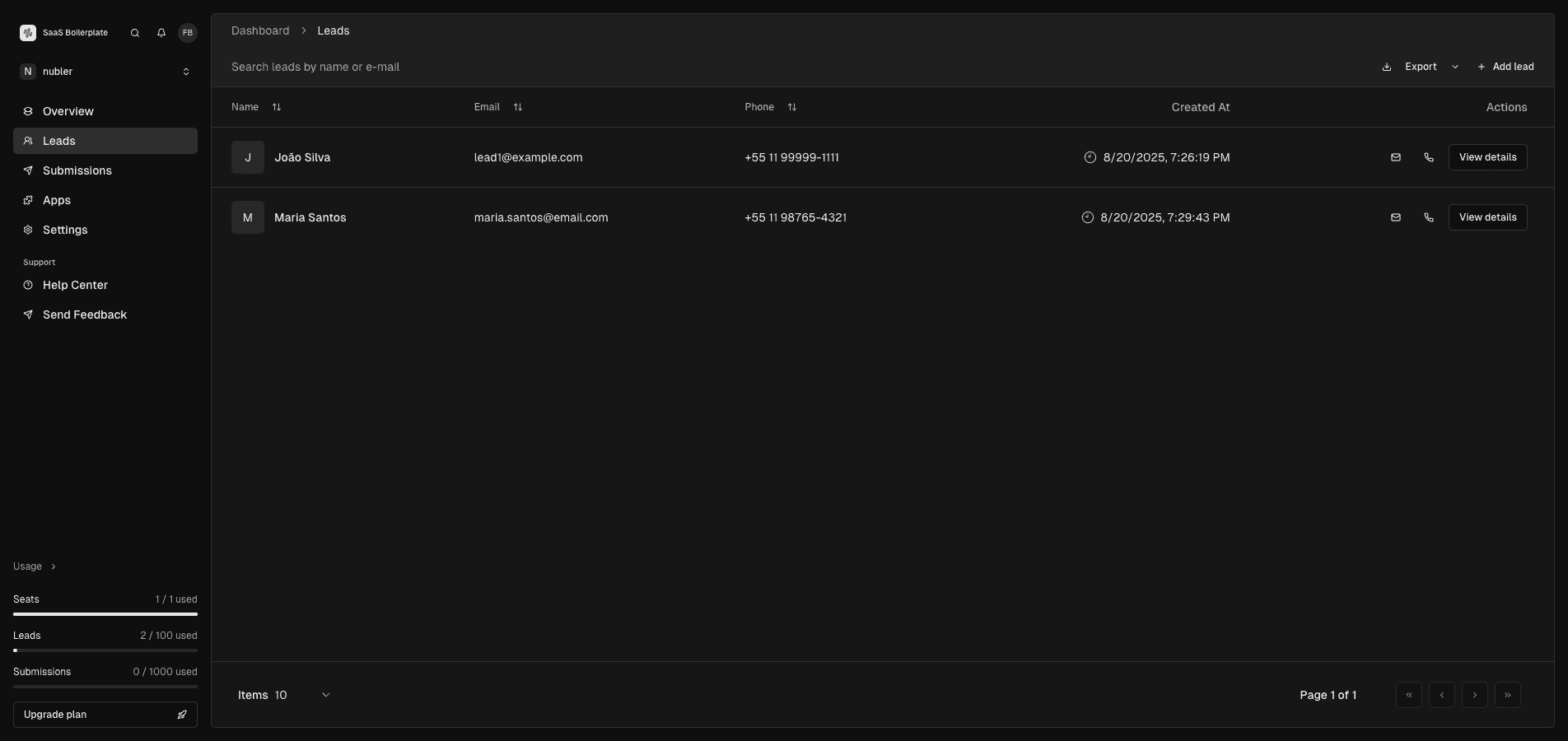
The Leads page is your central hub for managing business contacts and potential customers. Access it via the Leads section in the dashboard sidebar. This comprehensive system helps you organize, track, and manage leads effectively. By the end of this guide, you'll know how to add leads, search data, and export information.
Tip
Prerequisites
- Access to the SaaS Boilerplate dashboard
- Permission to manage leads (Member role or higher)
- Understanding of your lead data structure
Core Concepts
Lead Records
Individual contact entries containing name, email, phone, and creation date.
Search and Filtering
Real-time search functionality to find leads by name or email.
Export Functionality
Download lead data in common formats for external analysis or backup.
Usage Limits
Monitor lead count against your plan's limits (e.g., 2/100 used).
Step-by-Step Guide
Access Leads Page
Navigate to Leads in the dashboard sidebar.
Add a New Lead
Click "Add Lead" and enter the contact's name, email, and phone number.
Search and Filter
Use the search bar to find leads by name or email. Sort columns by clicking headers.
View Lead Details
Click on a lead's name to see full information and manage actions.
Export Data
Click the export button to download lead data for analysis or backup.
Lead Table Structure
Prop
Type
Troubleshooting
Best Practices
Read More