
Introduction
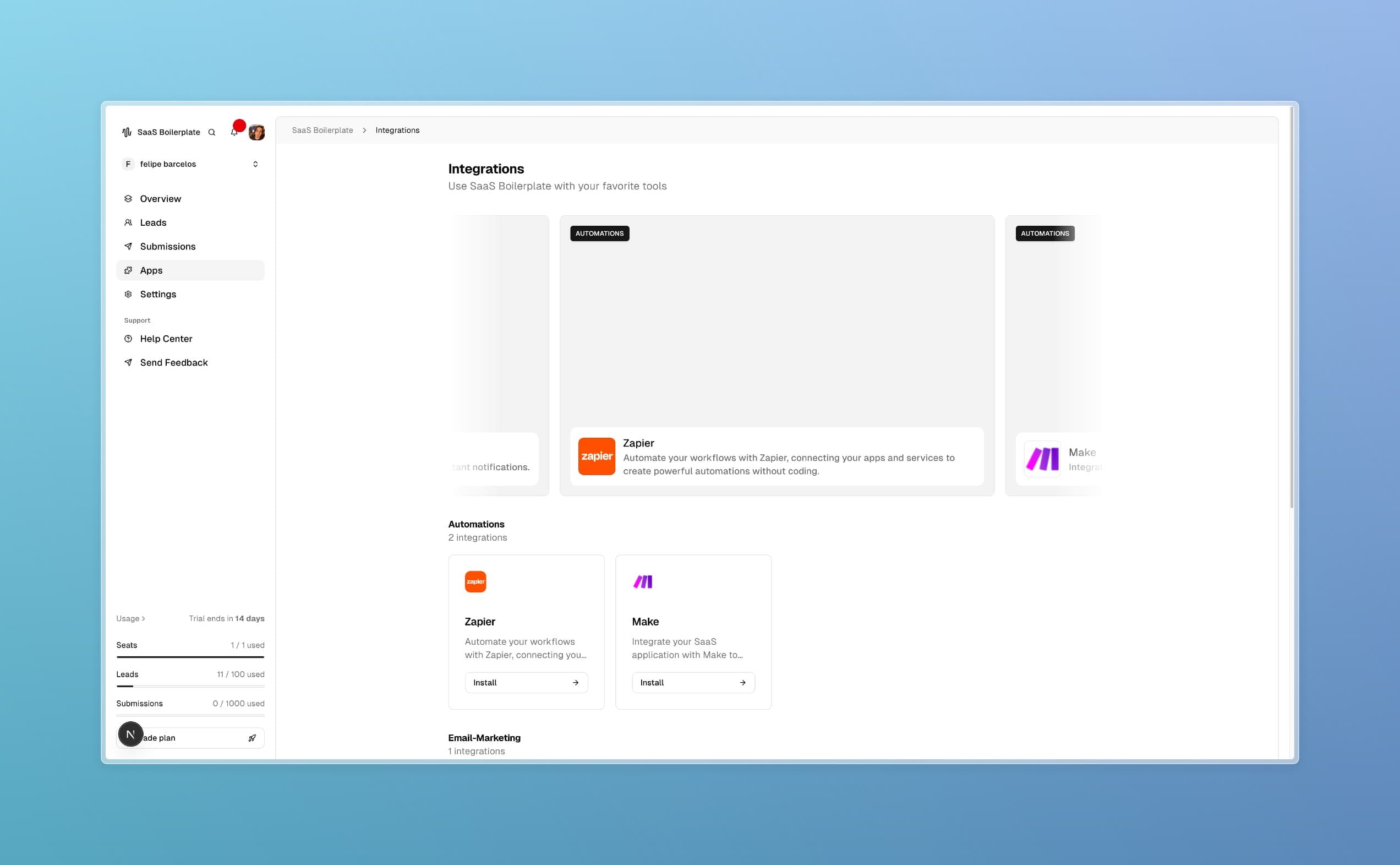
The Integrations page is your gateway to connecting SaaS Boilerplate with external tools and services. Access it via the Apps section in the dashboard sidebar. This marketplace offers seamless connections to popular business tools, enabling workflow automation, enhanced communication, and streamlined operations. By the end of this guide, you'll know how to install and manage integrations effectively.
Tip
Prerequisites
- Owner or Admin access to the organization
- Accounts with supported external services (e.g., Zapier, Slack)
- Understanding of the workflows you want to automate
Core Concepts
Integration Marketplace
A centralized hub for connecting SaaS Boilerplate with third-party services, categorized by function (automation, email marketing, notifications).
Installation Process
Each integration has an "Install" button that guides you through authentication, configuration, and testing.
Benefits
- Workflow automation to reduce manual tasks
- Real-time notifications across platforms
- Data synchronization for consistency
- Scalable operations as your business grows
Step-by-Step Guide
Browse Integrations
Navigate to Apps > Integrations and explore categories like Automations, Email Marketing, and Notifications.
Select and Install
Click "Install" on your chosen integration, then authenticate with the external service and configure options.
Configure Settings
Set up notification preferences, data sync options, and any required permissions.
Test and Monitor
Test the connection and monitor performance. Adjust settings as needed for optimal results.
Troubleshooting
Best Practices
Read More