
Introduction
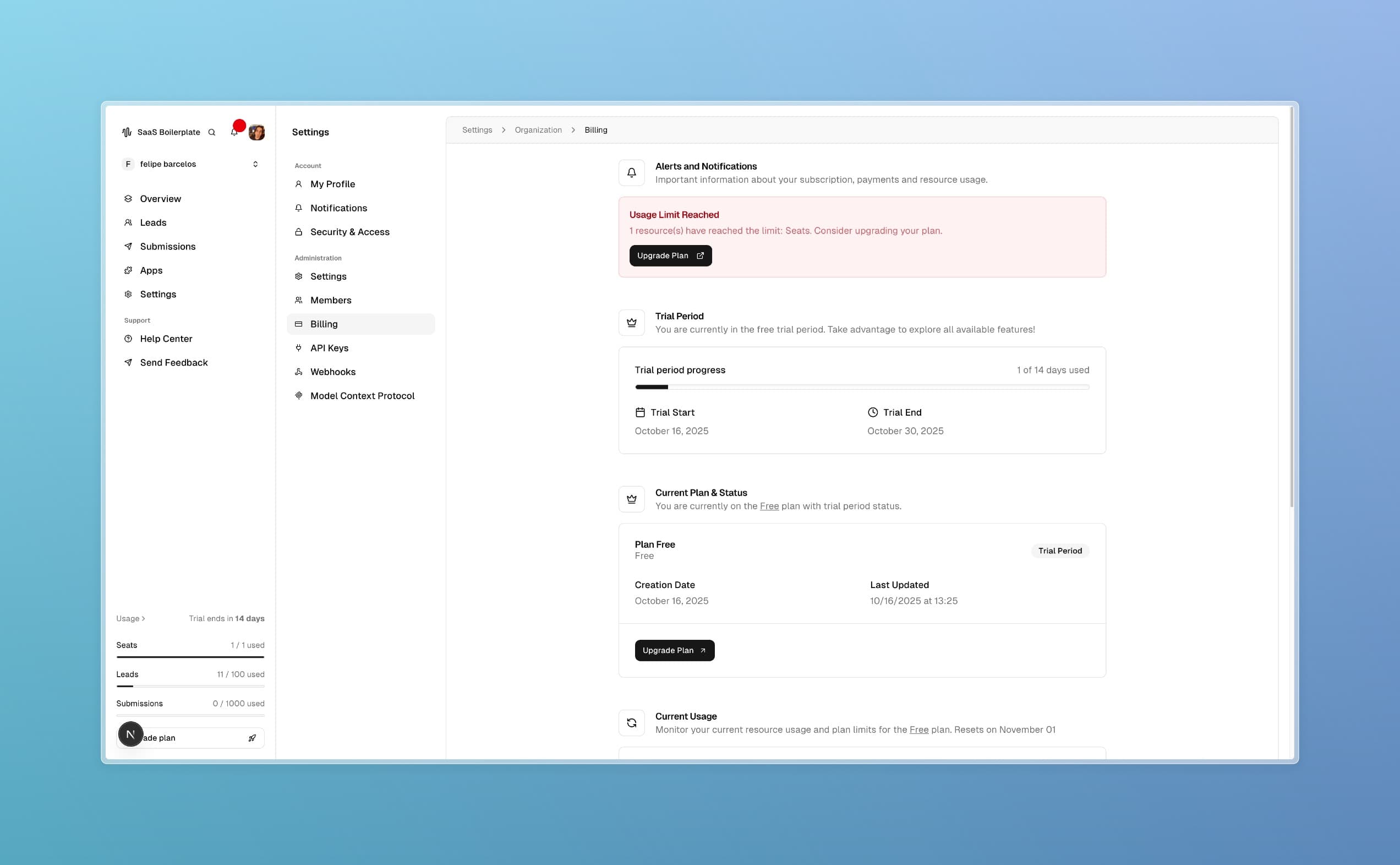
Your billing dashboard is the central place to manage your SaaS Boilerplate subscription. Here, you can monitor usage, update payment information, upgrade plans, and ensure your account stays active. By the end of this guide, you'll know how to handle all aspects of your billing effectively.
Tip
Prerequisites
- Active SaaS Boilerplate account
- Access to organization settings (Owner or Admin role)
- Understanding of your current plan and usage needs
Core Concepts
Subscription Plans
SaaS Boilerplate offers tiered plans with different limits on team members (seats), leads, submissions, and features. Plans scale with your business needs.
Usage Limits
Each plan has limits on resources like team members and data entries. Monitoring usage prevents unexpected restrictions.
Billing Cycle
Subscriptions renew monthly or annually. You can change plans or cancel anytime.
Step-by-Step Guide
Access Billing Settings
Navigate to Settings > Organization > Billing in the dashboard sidebar.
Review Current Subscription
Check your current plan, billing cycle, and usage statistics. The dashboard shows:
- Plan details and status
- Next billing date
- Resource usage (seats, leads, submissions)
Monitor Usage
Review the usage section for each resource:
Prop
Type
Look for alerts when approaching limits.
Update Billing Information
Manage your billing email and payment methods. Ensure contact information is current for invoice delivery.
Upgrade or Change Plans
If needed, select a new plan that fits your usage. Follow the prompts to complete the change and payment.
Troubleshooting
Best Practices
Read More